
Manager
Follow three real screenshots to sign in, check nodes, and inspect tasks; expand permissions and administrative steps as needed.
Manager shows cluster state, tasks, and backups and runs administrative actions. Start with a read-only account and these three steps.
1. Sign in with a manager account
The default local address is http://127.0.0.1:5301. For remote access, use the SSH tunnel in Linux deployment, or an HTTPS proxy through a management network / VPN. Accounts come from manager.users.
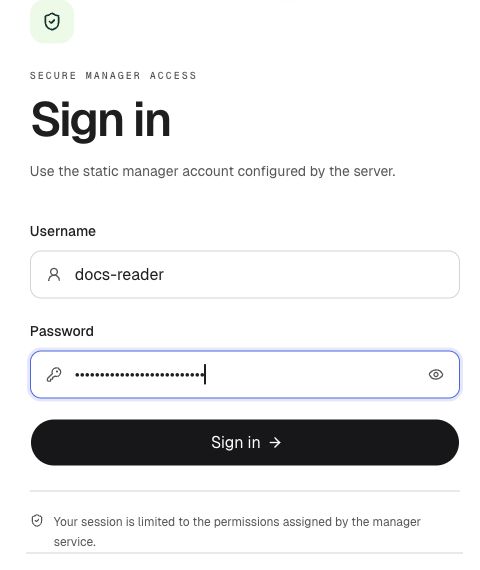
① Enter the configured manager username and password. ② Select Sign in. This capture uses a read-only test account on an isolated cluster.
Enable authentication and transport protection
In production, enable manager.auth_on, replace default credentials and manager.jwt_secret, and keep node port 5301 off the public network. manager.auth_on=false is not read-only mode; SSH / VPN / HTTPS do not replace account permissions.
2. Check nodes
Open Nodes. Check the alive count, then readiness and freshness in the health column. Refresh and investigate stale state before continuing with administrative actions.
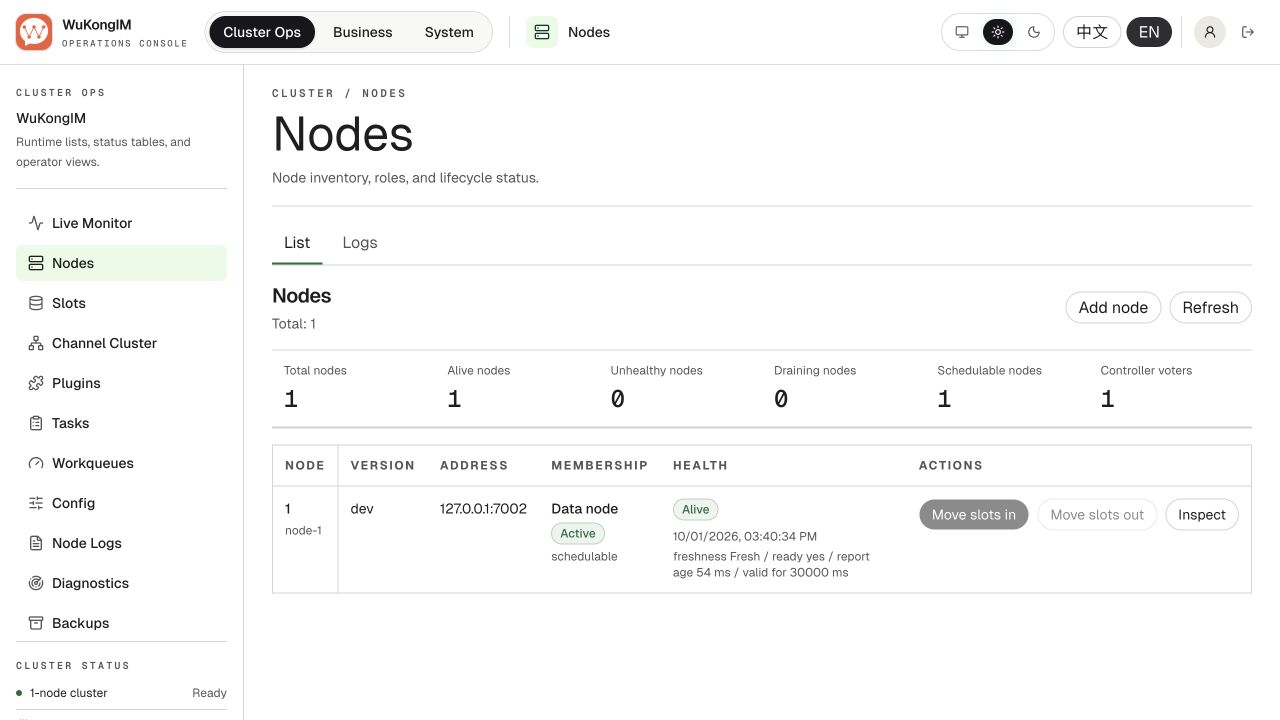
① Alive node count. ② Node health and readiness. This is a local single-node cluster example; check each node in a multi-node cluster.
3. Inspect tasks
Open Tasks and compare Running, Failed, and Completed. Filter by kind, status, or Slot ID and inspect the task timeline when investigating.
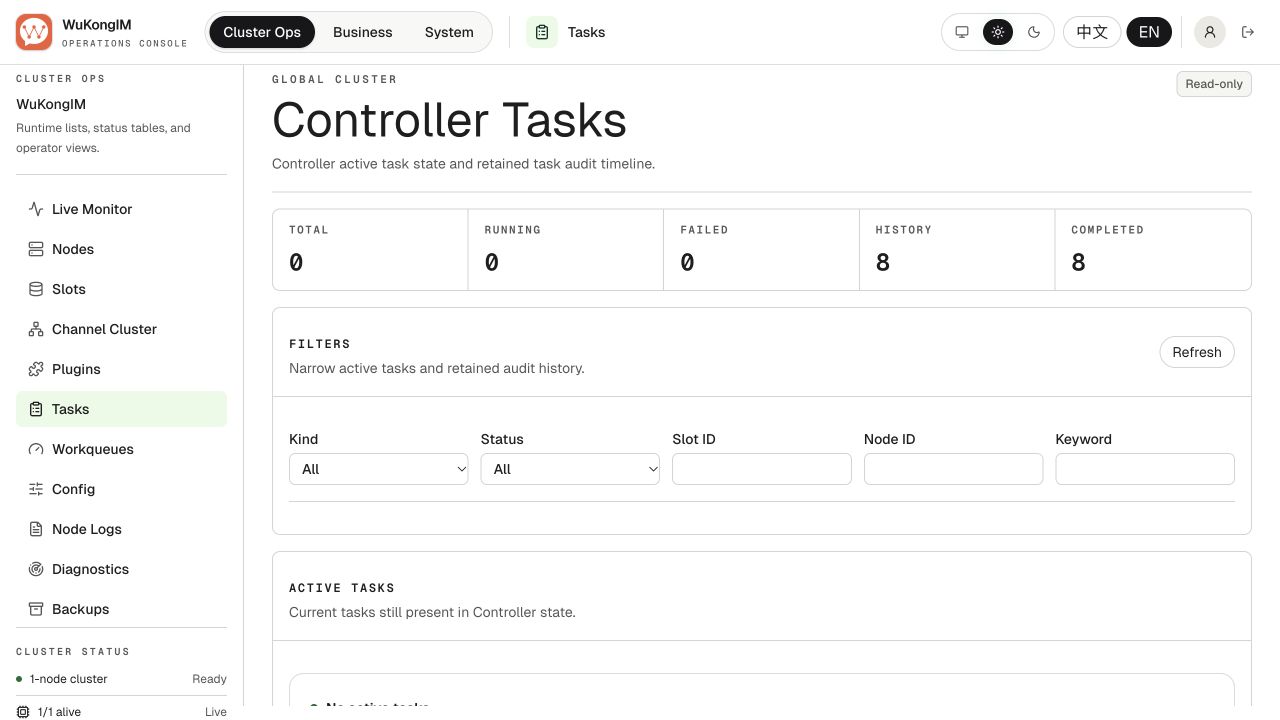
① Running. ② Failed. ③ Completed tasks in retained history. Counts change as the cluster runs; these are not fixed acceptance values.
What to check elsewhere
| Page | Focus |
|---|---|
| Live Monitor | CPU, memory, disk, connections, and queues; first confirm telemetry is available |
| Slots | Logical Slot Leader, replicas, ISR, and hash-slot ranges |
| Channel Cluster | Messaging runtime membership, Leader, and backlogs |
| Backups | Storage tests, archive completeness, and verification |
The Slot list shows logical Slots, initialized by initial_slot_count. The default 256 Hash Slots form a separate fixed keyspace. Here, eight logical Slots each hold 32 Hash Slots. See Slots and Hash Slots.
Account permissions and access paths
| Work | Common permissions |
|---|---|
| View nodes and scaling state | cluster.node:r |
| Join, activate, drain, or remove nodes | cluster.node:w |
| View or operate Slots | cluster.slot:r / cluster.slot:w |
| View or change backups | cluster.backup:r / cluster.backup:w |
| Restore data | Explicit cluster.restore:w |
Separate read-only, node-management, backup, and restore permissions instead of granting permanent full access.
Bind Manager to loopback or a management network. Keep the proxy-to-node connection on a controlled network, with the firewall allowing only the management proxy and authorized operator sources.
When you need to perform an administrative action
- Record the operator, target, current state, and expected result.
- Confirm
/readyzpasses and no conflicting task is still running. - Run any Plan or Preview first and read the blocking reasons.
- Perform one step, wait for completion, and refresh authoritative state.
- Verify message send, receive, and reconnect before continuing.
A Leader is the node responsible for the data, a replica is another copy, and ISR is the set keeping up. New operators should check health before making manual adjustments.
Scale-in and restore
Remove a node only after authoritative state reports safe_to_remove=true. Restore requires full verification, password reauthentication, and a confirmation phrase. Stop when state is missing, stale, or conflicting.
Manager manages WuKongIM cluster state. Handle cloud-server shutdown, Kubernetes instance counts, and startup configuration updates separately. Continue with Health & Monitoring.